Movement description
Example 1 of 2Roblox Animation Maker for Editable AI Motion
Give your character a greeting, dance or game action with Roblox Animation Maker. Describe one movement, generate an R15 clip, then shape its timing and pose in the browser before downloading your animation.
Roblox Animation Maker: From Words to Motion
Plan a clear action in Roblox Animation Maker: describe the setup, body rotation and finish. A golf swing gives the character a defined movement to carry through from preparation to follow-through.
A person performs a golf swing.
How to Use Roblox Animation Maker
Make Your AnimationDescribe one clear action
Tell Roblox Animation Maker what one character should do. Choose a duration, specify the moving body part and describe the start and finish.
Preview and shape the movement
Play your Roblox Animation Maker result, scrub to a moment and adjust the clip. Trim pauses, change speed or mirror the gesture.
Download your editable animation
Export the current movement as RBXMX or Luau for Studio. Keep a project JSON backup when you want to return to its editable versions.
A Roblox AI Animator with Hands-on Editing
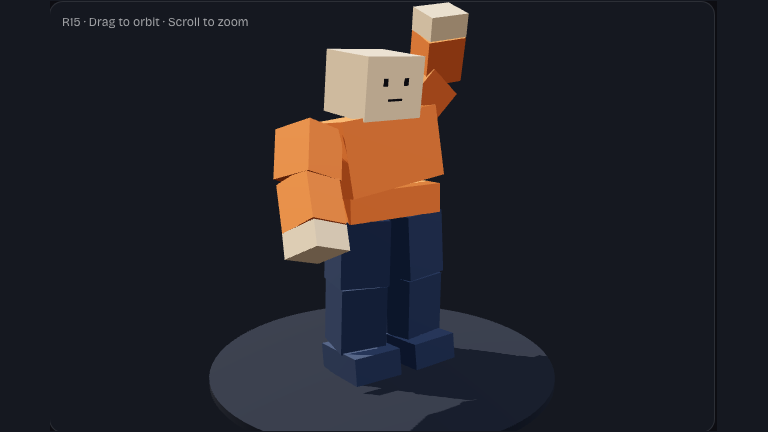
Turn a character action into motion
Describe a guard waving a player through, or a character celebrating. Roblox Animation Maker generates motion from your words, giving you a clip to review instead of placing every keyframe yourself.
Describe Your Action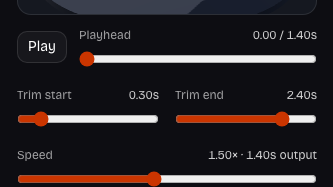
Refine timing and individual joints
Use Roblox Animation Maker playback to inspect a movement. Trim a lead-in, change the speed or adjust a joint's rotation until the gesture fits your scene's pace.
Adjust the Timing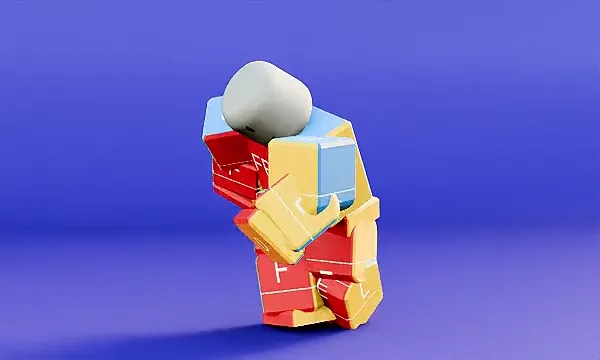
Give an NPC readable body language
An uncertain walk or a deliberate stride can establish an NPC's mood. Describe the action in Roblox Animation Maker, then review its silhouette and pacing before adding it to the character's behavior.
Shape an NPC Walk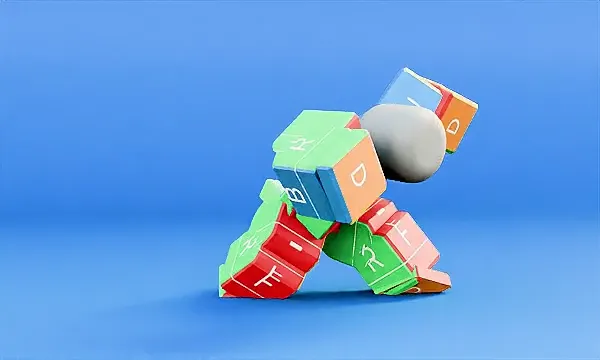
Explore a controlled combat movement
Describe a punch, dodge or ready stance in Roblox Animation Maker. Keep generated alternatives in one project, compare their movement and refine your choice before connecting gameplay logic in Studio.
Try an Action PromptWhy Choose Roblox Animation Maker?
Roblox Animation Maker brings generation and practical motion adjustments together. Stay focused on what the character communicates, with an editable clip you can keep refining.
Give NPCs a readable intention
A greeting, warning or celebration tells players what a character means. Roblox Animation Maker helps you explore that intention as movement.
Keep the original within reach
Editing preserves the generated motion. Return to an earlier version or reset its adjustments when a new direction does not suit your scene.
Spend credits on new ideas
Each new generation uses credits; timing changes, joint adjustments and downloads do not. Refine a Roblox Animation Maker result before requesting another variation.
Carry your work into Studio
Download editable motion data, then handle the game's animation setup in Studio. Keep a project backup alongside the exported clip for later revisions.
Choose Your Animation Export Format
Roblox Animation Maker separates the Studio animation from your editable project. Pick the format for your next step, and keep a backup before leaving.
RBXMX
Animation sequence
Export the edited R15 keyframes for local import into Studio's animation-save container, then load the saved animation in Animation Editor.
Luau
Studio import script
Create the sequence on a selected R15 rig through Studio's Command Bar. The script includes a local preview and restores the starting pose.
JSON
Editable project backup
Save your prompt, generated clips, active version and editing settings. Reopen the project file here to continue working without regenerating saved motion.
Roblox Animation Maker Questions
It turns a written action into an editable R15 animation. This Roblox AI animator supports single-character gestures, dances and NPC actions. You receive motion data to preview and adjust, rather than a rendered video of your game.
Give Roblox Animation Maker one action in English: a standing character raises their right hand, waves twice, then lowers it. Describe body movement and order. Camera instructions, scenery and multiple interacting characters do not help this motion model.
Start with a recognizable gesture in Roblox Animation Maker. Generate it, inspect the movement and trim unwanted pauses. Export the clip and continue emote setup in Studio. Marketplace submission has separate format, ownership and moderation requirements.
The preview and exports target R15, with fifteen articulated body parts. Use an R15 rig in Studio. R6 has a different joint layout, so these clips are not R6 animations or a conversion service for custom skeletons.
Yes. Roblox Animation Maker includes trim, speed, mirror, in-place movement and per-joint rotation adjustments. The original remains available. Edits update both preview and export without spending credits or submitting another AI generation.
Loop playback repeats your clip in Roblox Animation Maker; it does not blend the final pose into the first. Check the transition, trim to a suitable range and refine the start and finish in Studio for a seamless cycle.
Roblox Animation Maker costs 180 site credits per generation, producing one version at any supported duration from 0.5 to 12 seconds. New accounts receive 180 one-time site credits, enough for one animation. Editing, previewing and exporting an existing result use no credits.
No Roblox account connection is needed here. Sign in to this website for new motion or account saves. The Roblox AI animation generator uses shared site credits; publishing happens under your chosen Roblox account or group in Studio.
Publishing happens separately in Studio. Download RBXMX or Luau from Roblox Animation Maker and follow the local import instructions. Load the saved sequence, preview it on your R15 rig, then publish under the correct owner to obtain an animation asset ID.
Download a project JSON to preserve original clips and editing settings. Reopen it in Roblox Animation Maker for revisions. The Studio export serves your game workflow; the JSON keeps the project you edit here.

Give Your Next Character a Clear Gesture
Describe one action in Roblox Animation Maker, inspect the movement and shape the moment your players will see. Start with a greeting, celebration or NPC reaction.
Make Your Animation