Compare one design across four bodies
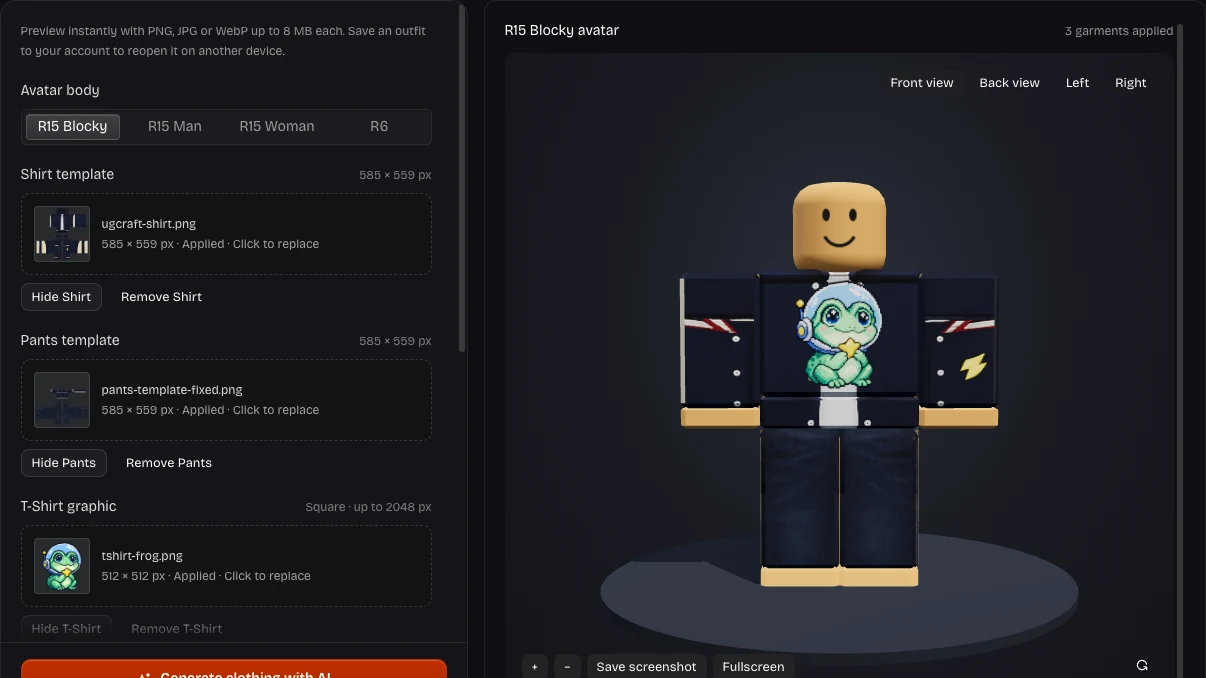
Compare R6, R15 Blocky, Man and Woman in the Roblox clothing tester. Your clothes and skin tone stay applied as you switch, revealing differences around cuffs, shoulders and waistlines.
Compare Body ShapesCheck seams, fit and layers with this free Roblox clothing tester. Upload images for a 3D Roblox clothing preview, then rotate the outfit and compare four reference bodies.
Flat templates separate sleeves, front and back panels. A Roblox clothing preview shows how they meet on a reference avatar. Compare the matching inputs.
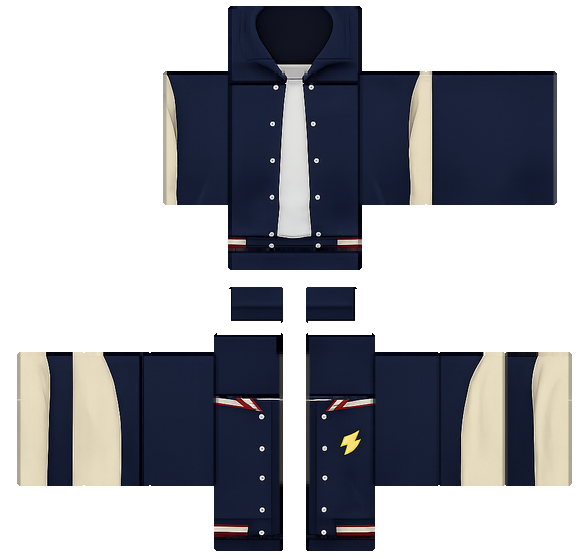
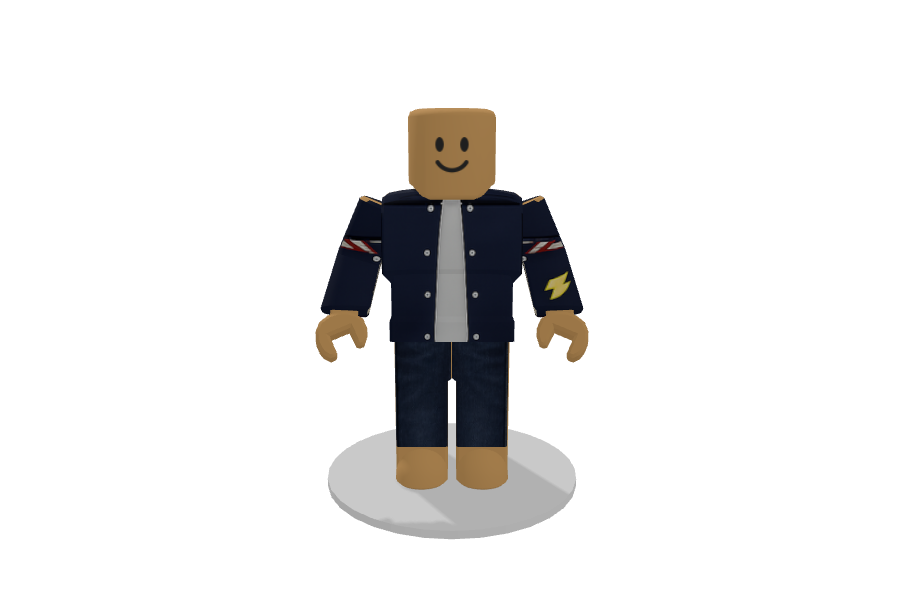
UGCraft reference using the same shirt and pants templates shown here. This illustrates outfit checking, not output from our Roblox clothing tester.
Add a classic shirt, pants or square T-Shirt graphic to the matching upload slot. The Roblox clothing tester keeps each piece separate for outfit comparisons.
Drag to rotate, zoom into details, and switch between front, back and side views. Compare bodies in the Roblox clothing tester without replacing your images.
Keep a screenshot for reference or save a project from the Roblox clothing tester. To revise a garment, open the editor and bring its updated PNG back.
Compare R6, R15 Blocky, Man and Woman in the Roblox clothing tester. Your clothes and skin tone stay applied as you switch, revealing differences around cuffs, shoulders and waistlines.
Compare Body Shapes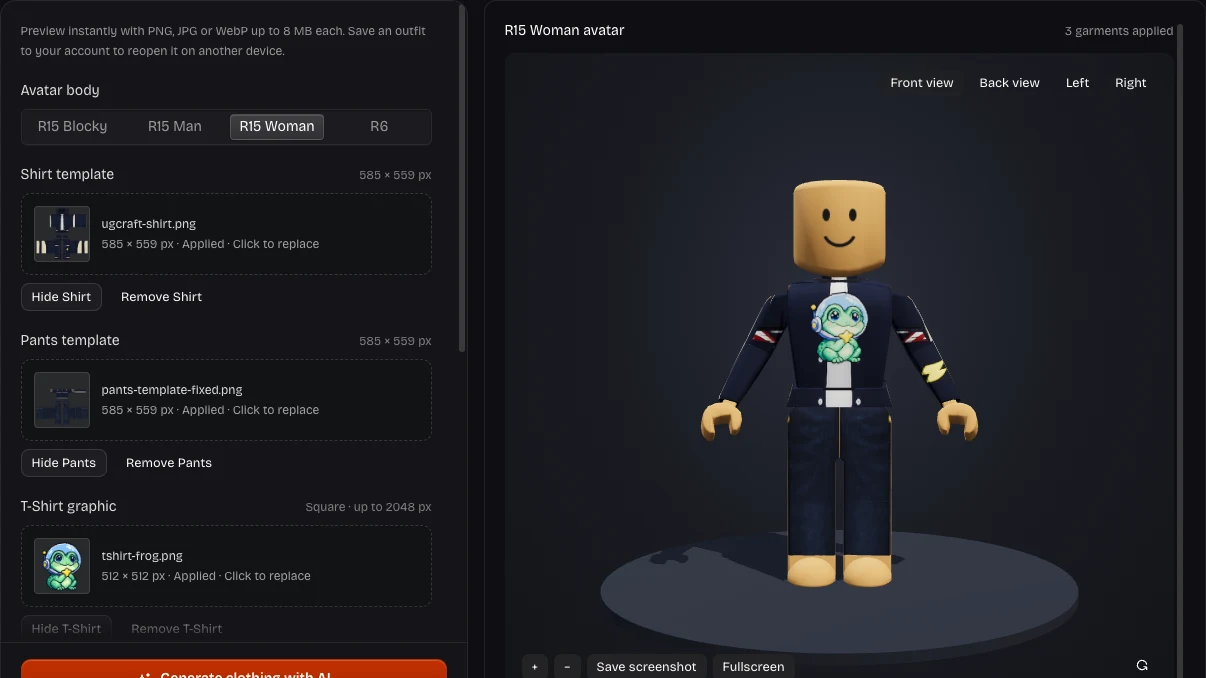
Combine a classic shirt, pants and chest graphic in the Roblox clothing tester. Hide one layer to see what sits underneath, then restore it to check how the garments overlap.
Check Your Layers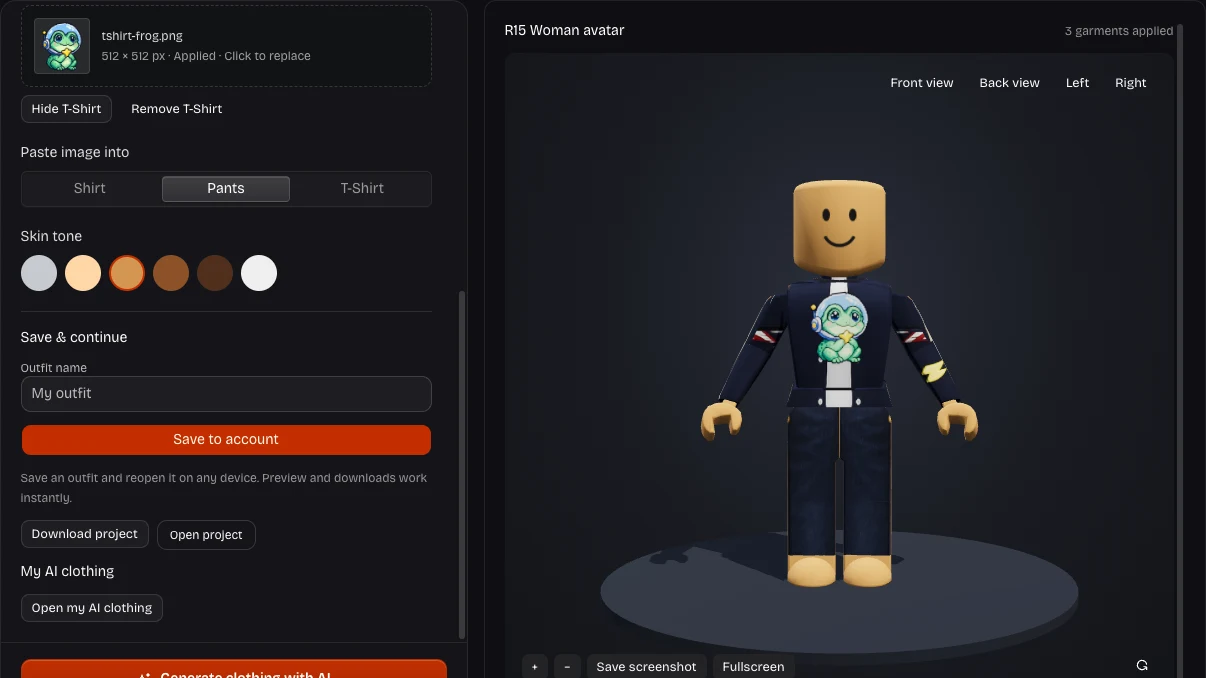
Keep a private account project from the Roblox clothing tester and reopen it in another browser. Clothing images, body choice and skin tone travel together; download a project for portable backup.
Save Your Outfit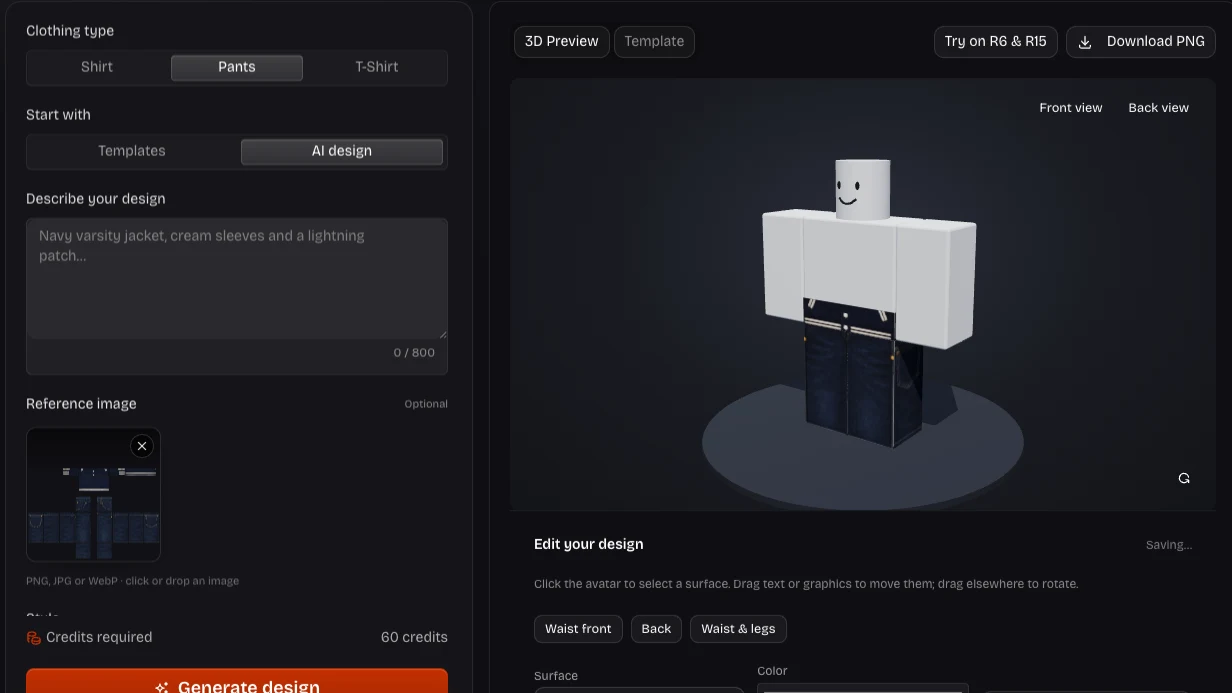
Found something to change in the Roblox clothing tester? Continue in Shirt Maker, edit the garment, and return with its PNG. Existing AI clothing results can open directly here, skipping another download and upload.
Continue in Shirt MakerUse this clothing preview for Roblox to choose your next edit. The Roblox clothing tester reveals details that flat panels hide: sleeve joins, transparent areas and graphics covered by another garment.
Follow stripes around the torso and sleeves in the Roblox clothing tester. Locate the panel edge to adjust before returning to your template.
Change skin tones in the Roblox clothing tester to check transparent areas. See whether a chest graphic stays readable against the shirt beneath.
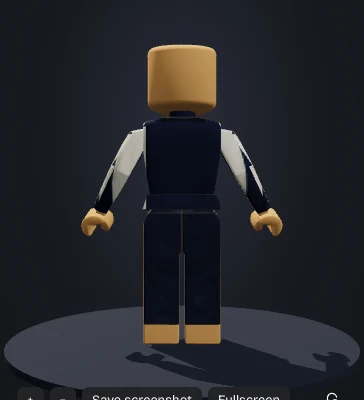
The Roblox clothing tester checks existing images without spending AI credits. Repeat a fit check after each edit and reserve credits for new generated designs.
Save your outfit in the Roblox clothing tester. Returning to the same body and clothing combination helps you assess your next revision.
Upload one garment to the Roblox clothing tester and rotate to inspect each side. Zoom into seams, then add pants or a chest graphic to judge the combination before editing.
The Roblox clothing tester accepts PNG, JPG and WebP up to 8 MB each. Classic shirts and pants require 585 × 559 pixels; T-Shirt graphics must be square, up to 2048 × 2048. Use PNG to retain transparency.
Choose R6 or R15 Blocky, Man and Woman. These reference bodies keep clothes applied when switching; they do not import your personal Roblox avatar or represent every body package.
Yes. Uploads, body changes, rotation and screenshots in the Roblox clothing tester use no AI credits. AI creation or revision is separate: Shirt Maker charges 60 credits per new image result.
Yes. Separate slots accept classic shirts, pants and square T-Shirt graphics. A T-Shirt adds a chest image over the shirt. Hide or replace individual pieces to compare combinations.
Yes. Follow cuffs, stripes and color boundaries in the Roblox clothing tester. A Roblox classic shirt preview reveals adjoining panels as you rotate and zoom. Repair any mismatch by editing the template.
In the Roblox clothing tester, Save to account keeps private projects accessible across browsers, with a 10 MB file limit. Download project creates a portable outfit backup up to 32 MB. Browser drafts restore work on the same device.
Open the selected garment in Shirt Maker, then return its PNG here. Opening previous AI results creates no new image or charge. New AI generation or revision costs 60 credits per result.
The Roblox clothing tester downloads a PNG of the dressed avatar at your current angle and zoom. This Roblox shirt preview is a visual reference. Export the actual garment template separately from Shirt Maker for uploading.
No. Use the Roblox clothing tester to inspect classic clothing, then check in Roblox Studio. It does not preview 3D layered clothing or guarantee every avatar package. Roblox controls uploads and Marketplace approval.
Upload your shirt template here, add matching pieces, and inspect every side. Save a screenshot or keep the project for your next editing session.
Preview Your Clothing