Roblox GUI Maker for Menus, Shops and HUDs

Roblox GUI Maker turns ideas into shops, menus and HUDs with AI. Start with a prompt or preset, edit the layout in your browser, and export native UI for Roblox Studio.

GUI workspace view

From Image to Layout with Roblox GUI Maker

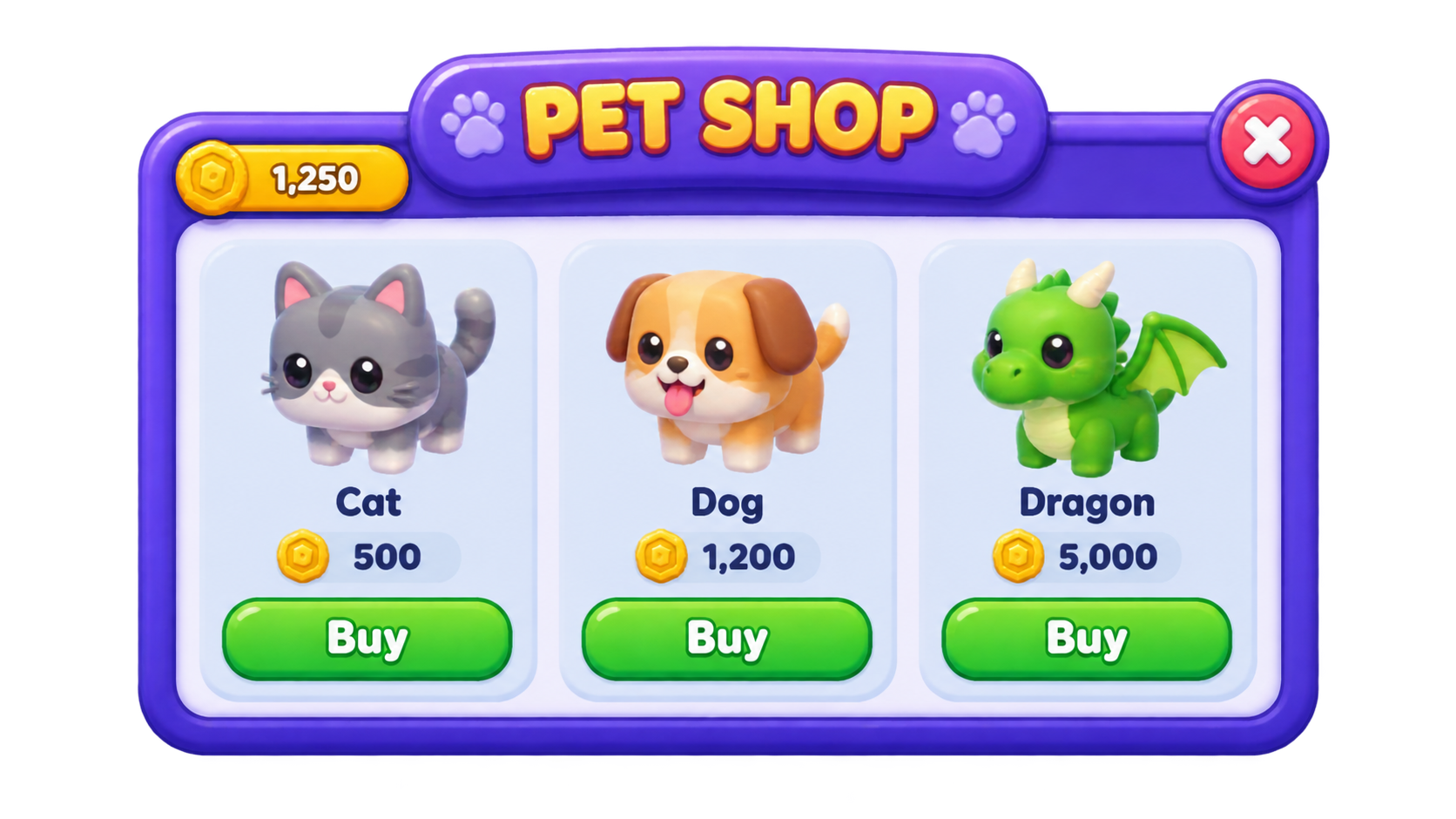
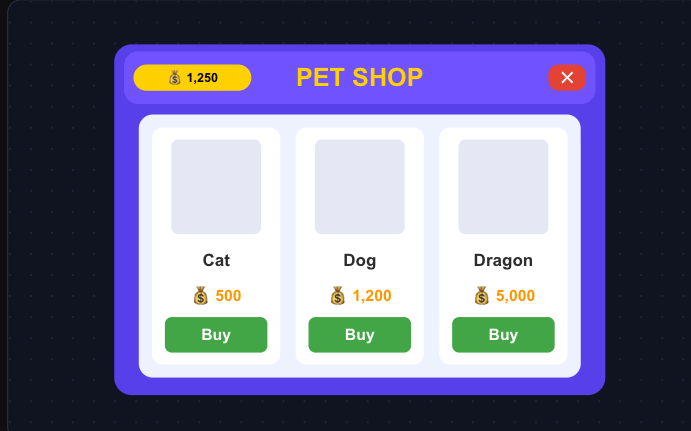
Give Roblox GUI Maker a screenshot for visual direction. This pet shop example becomes editable cards, labels and buttons, with image slots for your own artwork.

Reference image
Purple pet shop reference with three illustrated pets, currency counters and Buy buttons
Editable native layout
Native pet shop layout recreated from the reference, with editable cards, text and buttons

How to Use Roblox GUI Maker

Build Your GUI

Pick a preset or describe your GUI

Choose a preset in Roblox GUI Maker or describe your screen. Include its main action, content and colors, plus an optional reference image.

Edit the layout on the canvas

Select a component in Roblox GUI Maker to edit its text, color, size or position. Use AI to revise a selected group.

Download and open in Roblox Studio

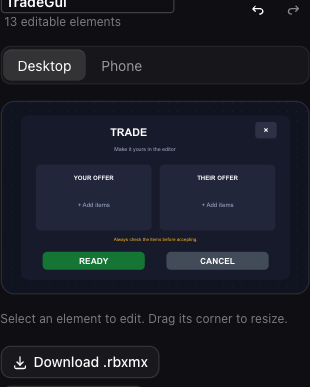
Check desktop and phone previews, then download Luau or .rbxmx. Continue in Studio and connect the interface to your game scripts.

Roblox AI GUI Maker with Editable Components

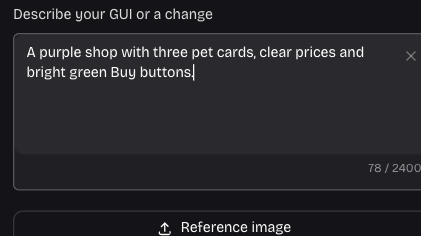
Actual Roblox GUI Maker prompt field describing a purple shop and its Buy buttons

Generate a layout from your prompt

Describe a purple shop with three item cards, prices and Buy buttons. Roblox GUI Maker creates separate, named components, so you can change a heading or move a button without rebuilding the screen.

Shape Your Layout
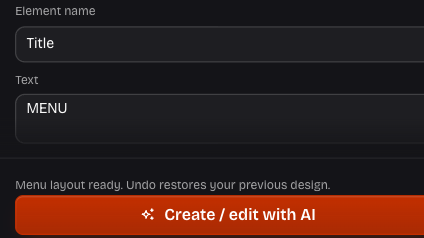
Actual editor showing a menu with its selected element and editable text properties

Revise one element or a whole group

In Roblox GUI Maker, select a title to rewrite it or a Frame to restyle its contents. AI preserves surrounding components; property controls let you adjust text, colors and dimensions directly.

Edit an Element
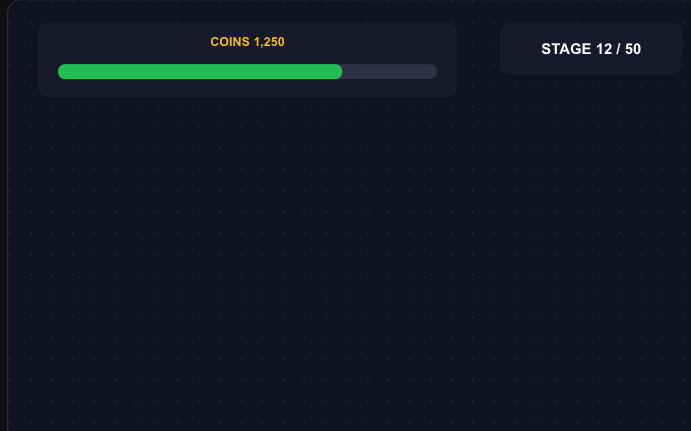
Actual HUD preset with a coin counter, stage label and progress indicator

Arrange counters and progress bars for a HUD

Use the HUD preset in Roblox GUI Maker to arrange a coin counter, stage label and progress bar. Check their placement in the phone preview, then connect the values to game data in Studio.

Try a HUD
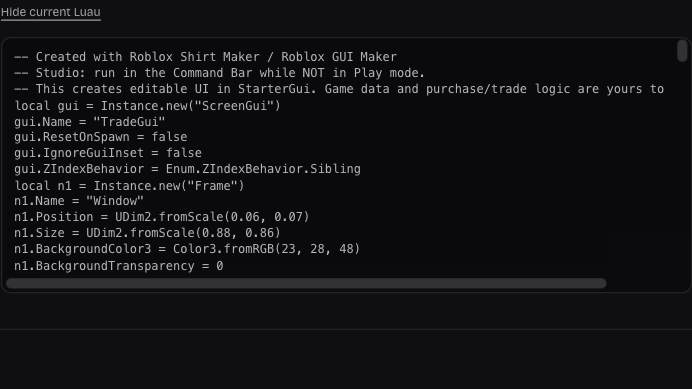
Actual Luau export panel with current ScreenGui and native component definitions

Export your GUI as Luau or .rbxmx

Export your Roblox GUI Maker canvas as .rbxmx or Luau. Frames, labels and buttons stay editable, including your latest changes. Add scripts in Studio to connect player actions to your game.

Export Your Design

Why Choose Roblox GUI Maker?

Roblox GUI Maker keeps your project in one browser workspace. Choose a layout, organize its components and save an editable backup for your next session.

Start with a screen you need

Choose shop, menu, inventory, trade, HUD, settings or rewards presets. Adapt their editable components to the screen your game needs.

Try changes with Undo and Redo

Compare a change with the previous version and undo it when needed. Rename objects and organize Frames to keep the hierarchy readable.

Actual trade layout in the mobile editor, with offer panels, Ready and Cancel buttons

Create without Roblox account pairing

Manual editing and downloads need no sign-in. AI uses your website account, with no Roblox account connection or Studio plugin required.

Keep a portable project backup

Resume your browser draft on this device, or download a GUI project JSON. Open the backup to continue editing on another device.

Roblox GUI Maker FAQ

Roblox Shirt Maker site logo

Create Your Roblox GUI

Build your next screen with Roblox GUI Maker. Customize a preset or describe a layout, then export editable components for Roblox Studio.

Build Your GUI